Why Your Google Rankings Look Different
Why do Google rankings look different?
Google personalizes results by country, city, language and device. The same page can rank third in one country and outside the top 50 in another. To measure accurately, check the market and device your customers actually use, not your own browser.
Quick verdict: Always check rankings in your customers' country and device, never from your own signed-in browser.
Price tier: Free
Run a free checkCountry and language
Each country gets its own Google results, with local sites, spelling and demand. A US site often ranks lower in the UK or India because local competitors fit better. Language matters too, since English pages rarely rank for German searches.
A US site often ranks lower in the UK or India simply because local competitors are more relevant there.
Language matters too: a page in English will rarely rank for searches made in German, even in a bilingual market.
City and local intent
Keywords with local intent, such as services, shops and near me searches, change from city to city and even street to street. Non-local keywords vary much less. A business serving one city should check rankings from that city, not nationally.
If you serve one city, check from that city; a national-level check can hide what nearby customers see.
Mobile vs desktop
Google uses mobile-first indexing, so it ranks pages mainly from their mobile version. Mobile and desktop positions are often close but not identical, and phone layouts push organic results lower, because ads, map packs and AI Overviews fill the first screen.
Google uses mobile-first indexing, meaning it mainly uses the mobile version of your page for ranking.
Mobile and desktop rankings are often close, but they are not always identical, and the layout differs a lot: on a phone, ads, the map pack and AI Overviews fill the first screen, so even a top-five organic result can be below the fold.
A page that is slow or hard to use on mobile can also lose ground there. Our mobile ranking guide shows how to check from a phone.
Personalization
Personalization changes rankings when you search while signed in, because Google can use your search and browsing history. Sites you visit often may look higher to you than to everyone else, which makes your own browser the least reliable rank checker.
That makes your own browser the least reliable way to check a ranking.
How to check the right way
The right way to check combines four habits. Pick your customers' country in a neutral checker, review the map pack for local businesses, compare mobile and desktop in Search Console, and track the same keyword, country and device over time.
- Pick the country your customers search from in the free checker. It requests a clean, non-personalized result for that market.
- For local businesses, also look at the map pack and your Google Business Profile insights.
- Compare mobile and desktop in Search Console with the Device filter in the Performance report.
- Track the same keyword, country and device over time so changes are comparable. See how to check rankings in another country.
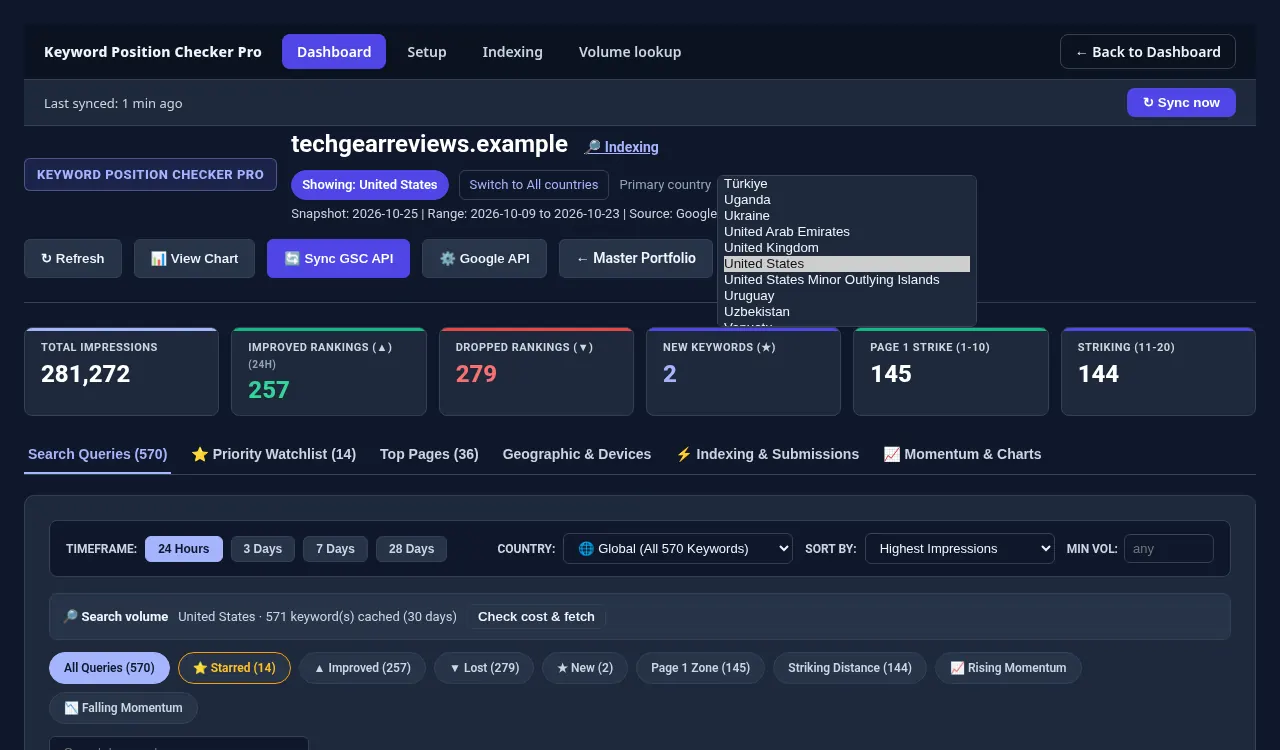
Each site gets its own primary country.
Go deeper
For step-by-step phone checks see checking positions on Android and iPhone. For city-level results and the map pack, see local keyword rankings, and for a Google.co.uk reading use the UK rank checker. The way Search Console blends these factors is covered in average position explained.
Check one keyword now, or track all of them.
Run a free check with the Keyword Position Checker (3 per day, no sign-up). To follow every keyword on every site each day, see Keyword Position Checker & Tracker Pro for Windows.
Early bird: $299 with code EARLYBIRD for the first 50 buyers (regular price $499). One-time payment, 3 PCs.