Search Console Average Position Explained
What is Search Console average position?
Search Console average position is an average of the top position your site reached each time it appeared in real searches, across all locations, devices and dates in the range. A live rank check is one snapshot for one keyword, country and moment.
Both are correct; they measure different things.
Quick verdict: Both numbers are correct. Use Search Console for trends across all searches and a live check for one market today.
Price tier: Free
Run a free checkHow Search Console calculates average position
Search Console records the highest position your site held each time a page appeared in a real search. Average position is the mean of those values across all impressions, so it blends every country, city, device and day in the selected range.
That means it blends every country, city, device and day in the date range, and it only counts searches where you actually appeared.
How a live check works
A live check requests the current Google results for one keyword in one country, without personalization, and finds your domain in the top 100 organic listings. It produces one clean measurement for one moment, unlike the blended Search Console average.
A live check, like our free keyword position checker, requests the current Google results for one keyword in one country, without personalization, and finds your domain in the top 100. It is a single, clean measurement.
Why the numbers differ
Search Console and live checks differ for five reasons: blending across markets, averaging over time, counting some SERP features, grouping real query variations, and low impression counts. Each reason pulls the average away from what a single live check reports today.
- Blending: if you rank 3rd in the US and 25th in the UK, Search Console may show an average in between.
- Timing: Search Console averages over days or weeks; a live check is right now.
- Features: Search Console can count positions in some SERP features, while rank checkers count organic listings only.
- Query grouping: Search Console reports what people actually typed, including variations you never thought to check.
- Low impressions: with only a few impressions, the average can swing a lot.
Which one should you use?
Use Search Console to discover queries and follow trends over time. Use a live check to confirm your position in one market today, see who outranks you and test keywords with no impressions yet. Most site owners need both numbers together.
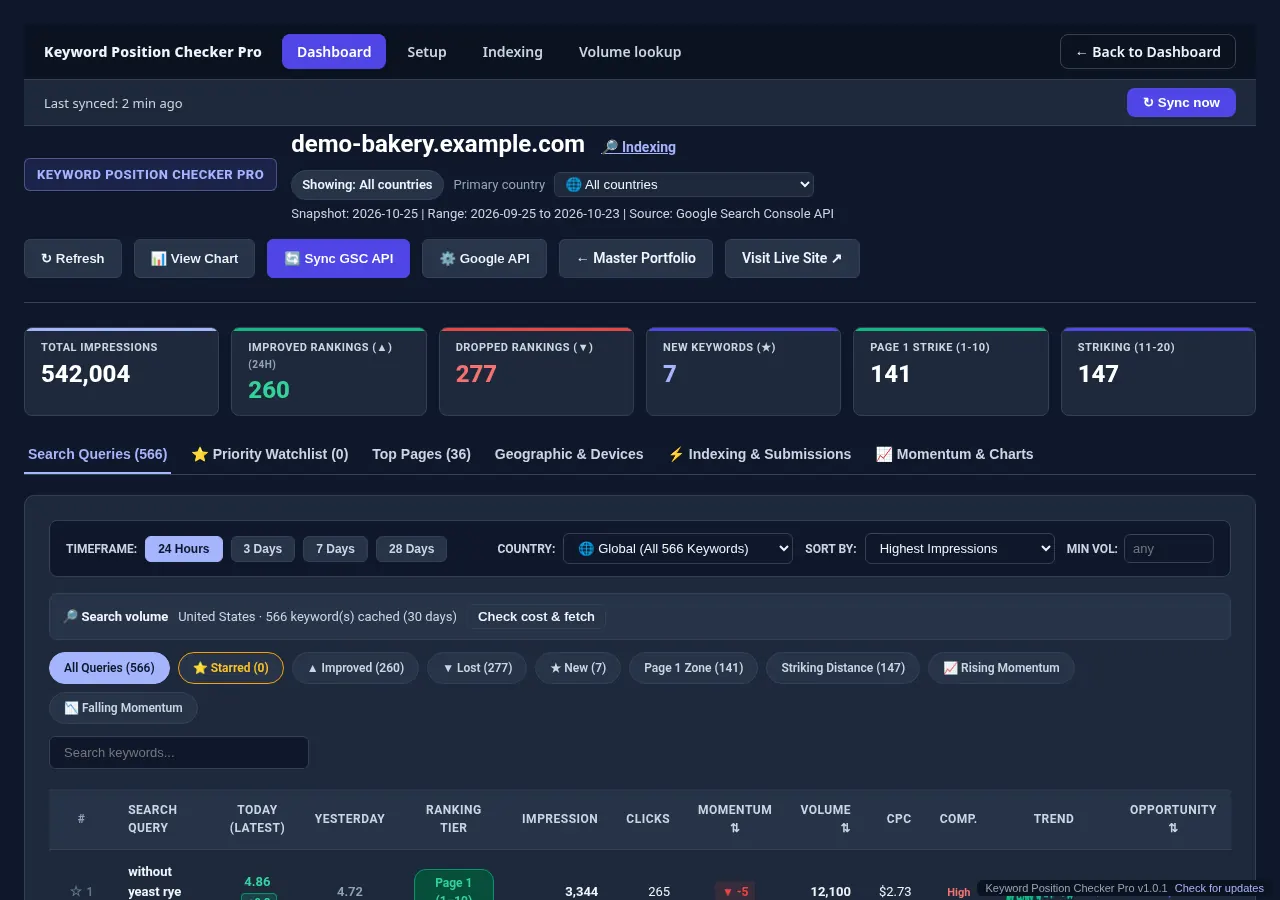
Keyword Position Checker Pro combines both: it syncs Search Console data for every site and Google account you connect, shows daily position changes per query, and can run live checks on the keywords in your watchlist.
Query filters isolate striking distance keywords.
Related reading
Average position is one input to a broader choice between one-off checks and ongoing tracking. If your live result does not match what you see in your own browser, read why rankings look different. Developers can pull the same metric with the Search Console API.
Check one keyword now, or track all of them.
Run a free check with the Keyword Position Checker (3 per day, no sign-up). To follow every keyword on every site each day, see Keyword Position Checker & Tracker Pro for Windows.
Early bird: $299 with code EARLYBIRD for the first 50 buyers (regular price $499). One-time payment, 3 PCs.