UK Keyword Position Checker: Check Google.co.uk Rankings
How do you check Google UK keyword positions?
To check your Google UK ranking, run a check with the country set to United Kingdom. Our free checker reads the UK organic results, not personalized, and shows your position in the top 100, the ranking page and the ten results ahead.
Quick verdict: Check UK rankings with the United Kingdom market selected, never from a browser outside the UK.
Price tier: Free
Run a free checkThe button opens the free tool with United Kingdom preselected. You get 3 free checks per day.
Why UK rankings differ from US rankings
UK rankings differ from US rankings because Google weighs local relevance. UK competitors, British spelling, prices in pounds and UK-specific search features all reshape the results, so a page that ranks well in America can sit much lower on Google UK for the same keyword.
- Local competitors: .co.uk sites, UK retailers and UK publishers appear in UK results and rarely in US ones.
- Spelling: searchers type "optimisation", "colour" and "favourite". Google understands both spellings, but pages written in UK English often match UK searches better.
- Currency and offers: prices in pounds, UK delivery and VAT details signal that a page serves UK buyers.
- Different SERP features: shopping results, local packs and news sources reflect UK businesses and outlets.
Is there still a google.co.uk?
Yes, but Google now serves results based on the searcher's location rather than which domain they type. Someone in Leeds sees UK results on google.com too. That is why a check needs a UK location, not just the google.co.uk address.
Targeting the UK properly
Proper UK targeting combines technical and local signals. Add hreflang tags for en-gb page versions, filter Search Console by the United Kingdom to read real UK averages, show genuine UK contact details, and earn links from UK websites that cover your topic.
- If you use one site for several countries, add hreflang tags such as en-gb and en-us to the matching page versions.
- In Search Console, filter the Performance report by Country: United Kingdom to see real UK averages.
- Use a UK address and phone number where you genuinely have them, and earn links from UK sites.
Checking a UK city
A UK check is national. For London, Manchester or Glasgow results, especially for local services, read our guide to checking local rankings by city. If your UK result does not match what you see in your own browser, see why rankings look different.
Track UK rankings every day
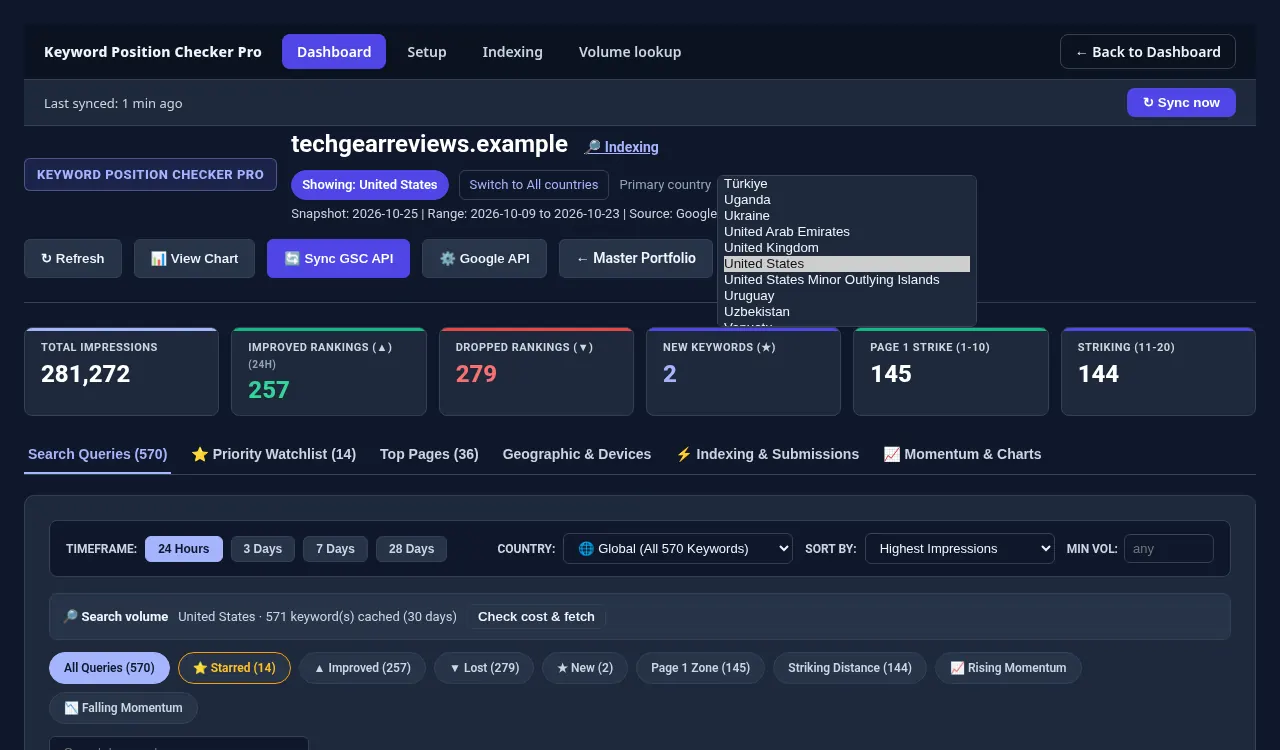
Keyword Position Checker Pro tracks UK rankings daily from Search Console. Set the United Kingdom as a site's primary country, chosen from 249 countries and territories, and every dashboard defaults to UK positions, clicks and impressions without repeated filtering in Search Console.
Keyword Position Checker Pro lets you set United Kingdom as the primary country for a site, choosing from 249 countries and territories, so its dashboards show UK positions, clicks and impressions from Search Console by default.
Each site gets its own primary country.
Check one keyword now, or track all of them.
Run a free check with the Keyword Position Checker (3 per day, no sign-up). To follow every keyword on every site each day, see Keyword Position Checker & Tracker Pro for Windows.
Early bird: $299 with code EARLYBIRD for the first 50 buyers (regular price $499). One-time payment, 3 PCs.