How to Track Keyword Momentum
What is keyword momentum?
Keyword momentum is the direction and speed of a keyword's ranking over time. Instead of asking where a keyword is today, you ask whether it is climbing or slipping. It shows which pages to push and which to rescue first.
Quick verdict: Track direction, not single positions. Compare each keyword with 7 and 28 days earlier before you act.
Price tier: Free in Search Console, paid for automation
Get Pro on GumroadWhy a single position is not enough
A single position hides direction. A keyword at position 12 may be rising from 40 or falling from 4, and those cases need opposite actions. Momentum adds the trend over several weeks, which tells you whether to push a page or rescue it.
A keyword at position 12 could be on its way up from 40 or on its way down from 4. Momentum adds the missing context.
How to measure momentum
Momentum tracking records the position for one keyword, country and device at regular intervals, compares the current position with an earlier period such as 7 or 28 days ago, and then reads the trend line together with impressions and clicks.
- Record the position for the same keyword, country and device at regular intervals, daily or weekly.
- Compare the current position with an earlier period, for example today vs 7 or 28 days ago.
- Look at the trend line, not individual points, and read it together with impressions and clicks.
In Google Search Console you can compare two date ranges in the Performance report and sort queries by position change. It works, but it is slow for many sites and keywords.
Acting on momentum
Momentum tells you where to spend effort. Rising keywords deserve reinforcement, falling keywords need diagnosis, and keywords stuck flat on page two need a focused update. Acting on direction, not daily position, keeps you from reacting to normal ranking noise.
Rising keywords
A rising keyword shows Google warming to the page. Strengthen it with internal links from related pages, expand the sections that match the query, and sharpen the title so the extra impressions turn into clicks before competitors respond to the same opportunity.
Google is warming to the page.
Falling keywords
A falling keyword needs a diagnosis before any rewrite. Check whether a competitor published a stronger page, whether your content is outdated, or whether search intent moved. Then refresh the page and confirm in Search Console that Google still indexes it.
Find out what changed.
Flat keywords on page two
Keywords stuck flat in positions 11 to 20 are the best candidates for a focused update. Google already judges the page relevant, so a clearer answer, better internal links or a stronger title often moves the keyword onto page one and into real clicks.
See positions and click-through rate.
Momentum in Keyword Position Checker Pro
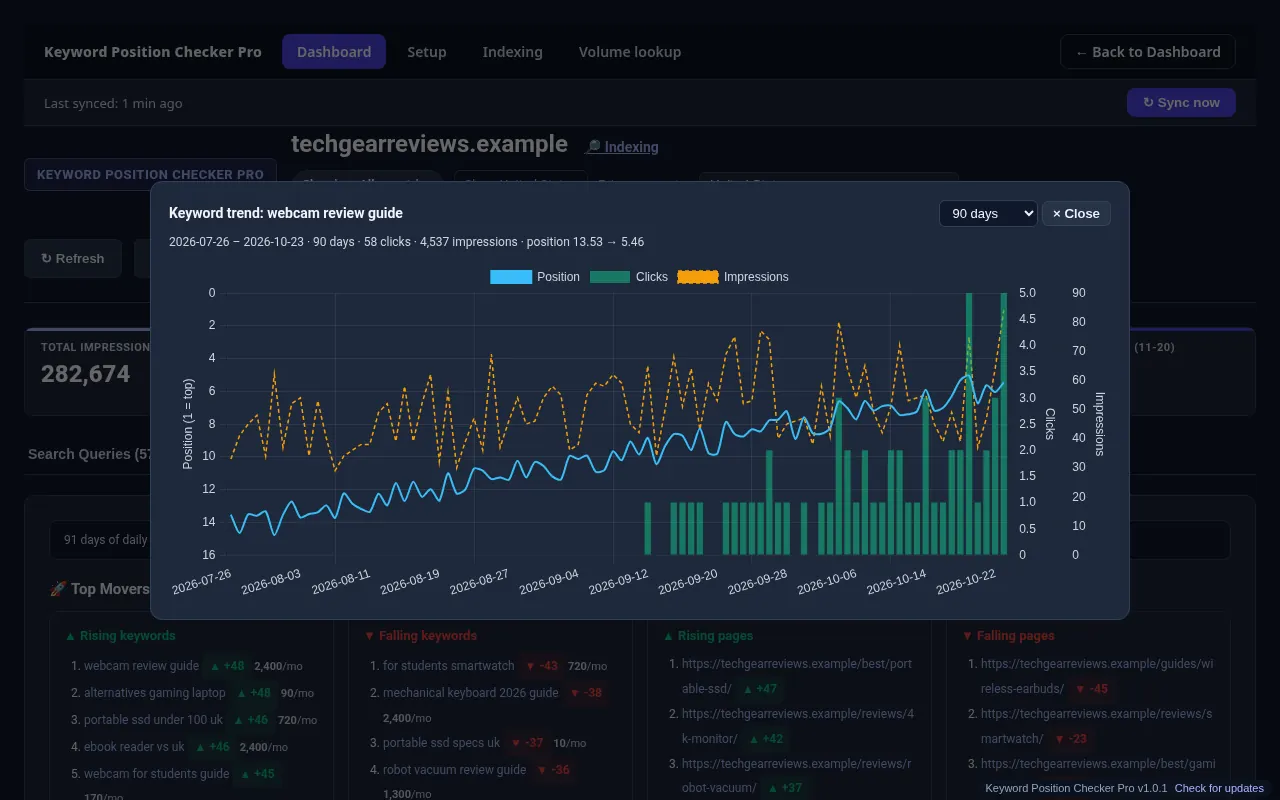
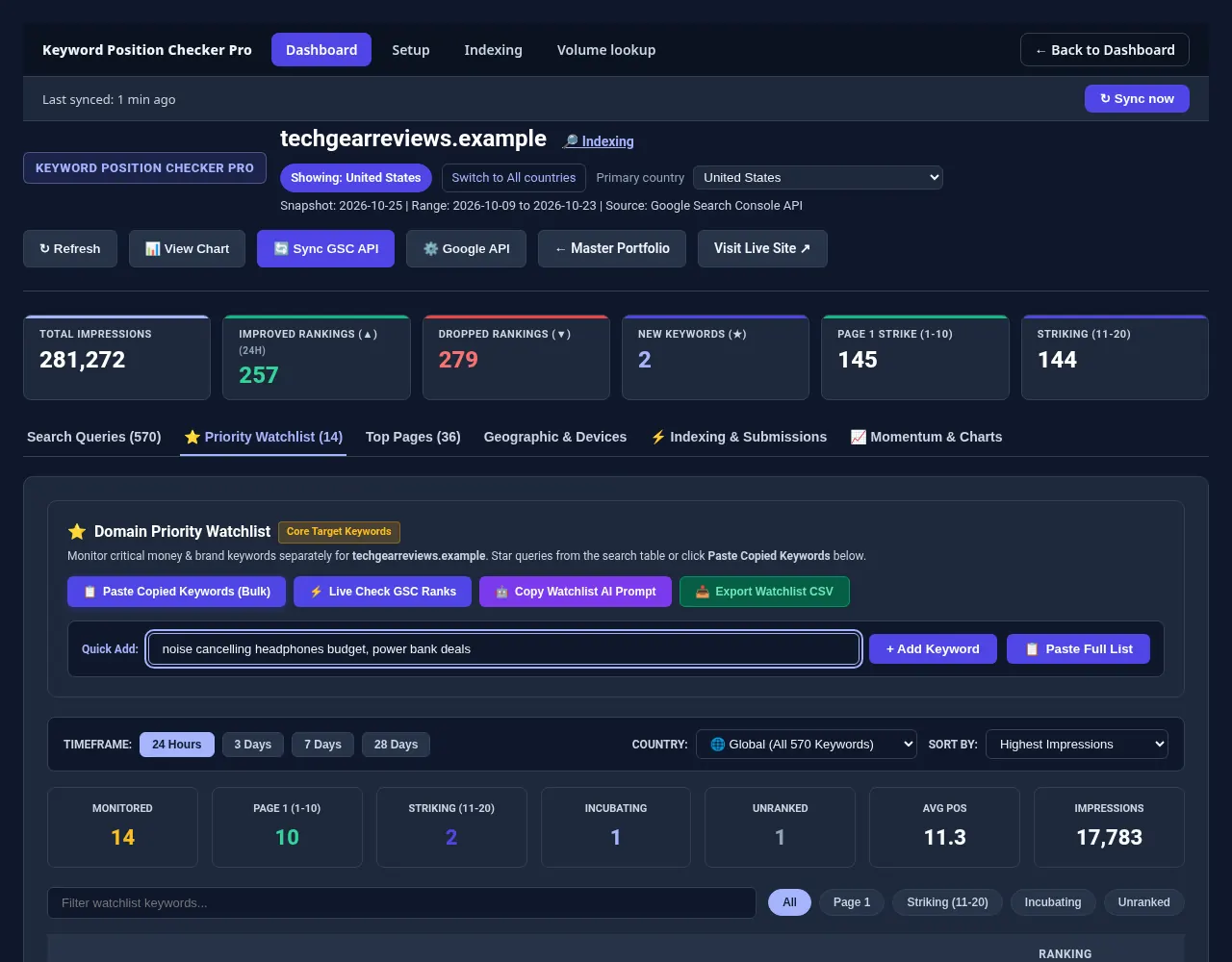
Keyword Position Checker Pro marks every synced Search Console query as improved, lost or new, with Rising and Falling Momentum filters. Each keyword opens a trend chart of position, clicks and impressions, and starred keywords collect in the Priority Watchlist.
Star your most important keywords to add them to the Priority Watchlist and monitor them separately.
The momentum chart shows direction over time.
The watchlist collects your starred keywords.
Common mistakes
Three mistakes break momentum tracking: comparing positions from different countries or devices, reacting to one day instead of a weekly trend, and ignoring impressions, which show whether a keyword is gaining visibility even before its position changes on Google results.
- Mixing countries or devices in one trend line.
- Acting on one day instead of a weekly trend.
- Ignoring impressions alongside position.
Check one keyword now, or track all of them.
Run a free check with the Keyword Position Checker (3 per day, no sign-up). To follow every keyword on every site each day, see Keyword Position Checker & Tracker Pro for Windows.
Early bird: $299 with code EARLYBIRD for the first 50 buyers (regular price $499). One-time payment, 3 PCs.